Blog

WooCommerce Subscriptions Extension

What is it about ?

I mainly used this example to write the following.

General Presentation

WooCommerce Subscriptions allows you to introduce a variety of subscriptions for physical or virtual products and services.

You can add sign-up fees, offer free trials, or set expiration periods.

The Grail of WordPress-WooCommerce Subscriptions systems

WooCommerce Subscriptions is a premium WooCommerce extension that allows you to sell products and services with recurring payments.


With WooCommerce Subscriptions, you can create and manage products with recurring payments : payments that will give you residual revenue you can track and count on.

Why Use WooCommerce Subscriptions?

  • Multiple billing schedules available
  • Integration with over 25 payment gateways for automatic recurring payments
  • Supports manual renewal payments through any WooCommerce payment gateway
  • Automatic email invoices and receipts
  • Supports automatic rebilling on failed subscription payments
  • Give subscribers the ability to manage their own plan, including upgrading or downgrading
  • Built-in renewal notifications and automatic emails when subscription payments have been processed
  • Detailed reports allow you to keep track of recurring revenue, active subscribers …

Capture more residual income

Whether your goal is to ship a surprise bundle of products to faithful customers every month or bill them for an in-person service provided by your small business, WooCommerce Subscriptions can take the stress out of capturing that all-important residual income.

Main features

Subscription Product

  • Create simple subscription products or variable subscriptions products
  • Downloadable Content
  • Much of the product creation is familiar if you’ve used WooCommerce before
  • Define Payment Schedule & Subscription Length
  • Upgrades/Downgrades
  • Free Trial Periods
  • Limit Subscription feature to limit a customer to one subscription
  • Sign-Up Fees / Sign-Up Fee Discount
  • Subscription Coupons
  • Recurring Product Discount
  • One Time Shipping
  • Handle Multiple Subscriptions

The extension offers a huge support for all main payment gateways

Subscription Renewal Process

  • Define precisely  (Manual & Automatic)
  • Resubscribe Process
  • Early renewals

Renewal process schema/flow

Renewal-Process-Flowchart-Scheduled-Renewal

Hover to Zoom

Back office - Managing Subscriptions

  • Cancel or Suspend a Subscription
  • Sort Subscriptions
  • Search Subscriptions
  • Filter Subscriptions
  • Subscription Settings
  • Scheduled Events
  • Reportings

Development

Subscription Emails

WooCommerce Subscriptions communicates with you and your store’s customers via a number of (customizable) emails on specific subscription related events:

  • Renewal Order Emails
  • Failed Payment Retry Emails
  • Subscription Status and Switch Emails

If you want to send other emails, there are a variety of solutions that can be used to send additional subscription related emails.

Subscriber Account Page

Customers can view details of their subscriptions on the My Account page and can :

  • Cancel or Suspend an active subscription
  • Reactivate a suspended subscription
  • Resubscribe
  • Pay for a renewal order (recurring payment failed or manual renewals)
  • Change the Payment Method
  • Change Address for shipping
  • Remove a Product Item

Practice after theory : Customizations & DIY

If you are familiar with WordPress & WooCommerce, you know that introducing additional code and customizations will be required from times to times.

On the WooCommerce’s website you will find the Developer Documentation. Additionally, on the official Github account there are many more ressources to help you introduce your own code into.

The Subscriptions plugin, like WooCommerce by instance, can be extended through actions, filters and functions.

Below you can find all sorts of modifications that I have made; without being overly technical.

Registration page, User profiles

  • Add new user fields (+ Validation)
  • Design : modify checkboxes, Radio fields …
  • Member’s unique number as login (from sequence)
  • Subscriptions prices: calculation from input
  • Upload documents attached to the order

Product page

  • Product hybrid page: multiple products on a single product page
  • Conditionnal display for grouped products
  • Custom redirect for add to cart URL
  • Conditionnal customization based on the type of subscription product

Additional customizations

  • Subscription product direct redirect to checkout
  • Explanation Messages added
  • Create/Add ordering option to shop page
  • Disable/Unable Payment Methods for Specific Categories
  • Disable download links in WooCommerce emails for some subscriptions
  • Exclude a particular product category on the shop page

Editing WooCommerce templates is another way to radically make changes to code and override standard behavior. This was particularly useful for improving download options from subscriber accounts, based on custom user fields.

Data Migration

All previous members datas from MongoDB database had to be converted to WooCommerce (Subscriptions) in order to import them. I used the importer-exporter magical add-on:

  • CSV Formatting Guide
  • Importing Payment Gateway Meta Data
  • Importing Order Items

I customized  importer-exporter too for export features:

  • Add custom headers
  • Add native user value to the exported rows
  • Add custom user meta value to the exported rows
mongodb-migration-2

Extra plugins

AutomateWoo

SEPA Payment Gateway for WooCommerce

The plugin adds a new payment method “SEPA direct debit” to the WooCommerce checkout page.


Fully compatible with WooSubscriptions.

WooCommerce Subscriptions Translation

I have translated the plugin WooCommerce Subscriptions from English into French.
You can get in touch with me to receive the translations files and the translation method.

Referral

Get the best e-Commerce services from Woo

WooCommerce

Referral

Get the best e-Commerce services from Woo

WooCommerce

The little story in the story

As I mentionned at the start, this is not a comparison of subscriptions plugins. It is merely my opinion.

However considering that WooSubscriptions is now completely managed by WooCommerce and Automattic I believe this particular plugin is one of the better and most flexible/customizable if you do eCommerce with WordPress.

Read More

Test the digital nomad lifestyle?

This article is inspired more by my nomadic experience as you will have understood and some passages will speak less for those living in a fixed location, however, as far as teleworking is concerned I think it remains relevant.

How to manage your business activities under these conditions?

Obviously working entirely remotely requires adaptations to your mode of operation.

However, there are constants; your clients / employers expect you to deliver results on time. I would say that in general if you are starting out with new clients / employers you will have to demonstrate that you are competent, reliable … and that they were right to hire you, which is always the case whatever the mode of collaboration.


Regarding my experience of teleworking there are at least 2 categories of clients / employers:

  • Those who have worked this way in the past or who work regularly in this way and for whom this is generally not a concern.
  • Those who are not familiar with this way of working, but who are open to discussion and ready to test.

We could add at least 2 others:

  • Those who agree, but not 100%, IE it will be necessary to organize a meeting for the start or to plan working hours in their premises.
  • Those who end the conversation as soon as the word “telework” or “remote work” is heard.

Personally I missed out on opportunities that seemed very interesting because of working remotely.

The basis of work organization

  • Responsiveness, speed and efficiency in accomplishing missions.
  • At the start, I opted for voluntary over-communication and over-availability in order to show my commitment in the beginning.
  • Quantify work sessions (time…).
  • If your location is new, the priority is to create optimal working conditions; it’s better to anticipate.

Some examples of «full remote» companies

Many tools exist to manage all aspects of collaboration, of remote work. The Cloud, messaging apps, video chat, project management apps (I write about software / apps a little further on in this article), however, all this will only be effective if you lay the foundations for their use:

  • When to use chat?
  • When to use emails?
  • When do we switch to the phone?
  • Is the topic urgent or immediate?
  • For work meetings, it’s good to know in advance: What are we going to talk about? Are there things to prepare? How long is it going to take ?

One particularly important thing in my opinion: Asynchronicity is OK !!

On the material / technical level

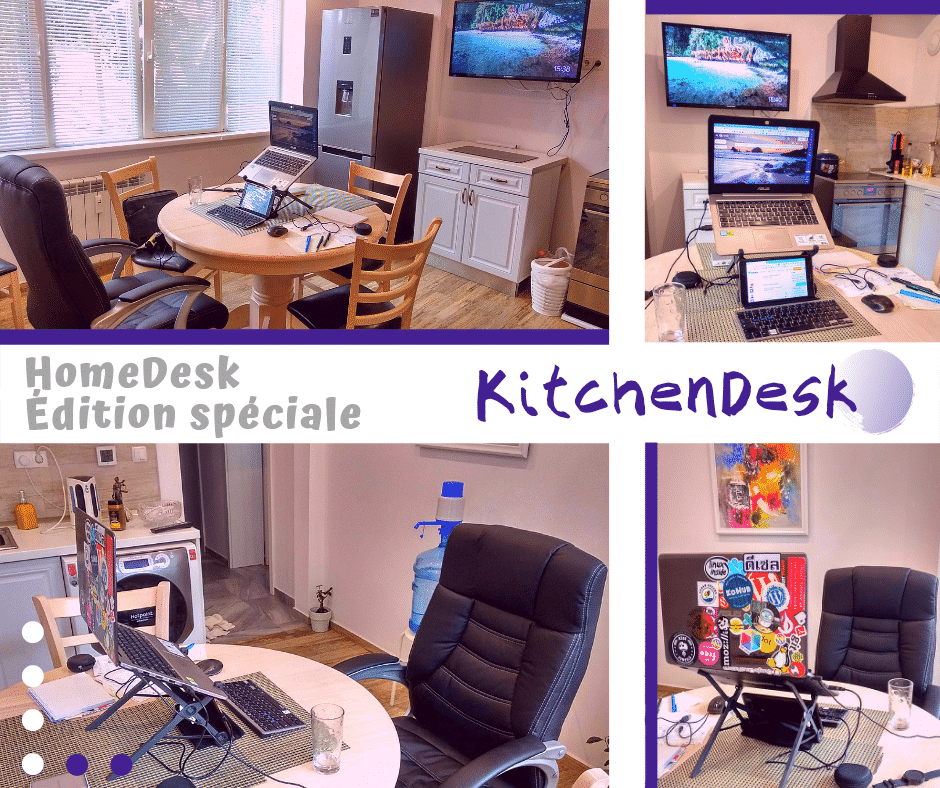
For my part, I had to equip myself to be able to carry my office. I bought a stand for my laptop, a Bluetooth keyboard among other things. The idea is not to make an exhaustive list but simply to highlight that your work depends on for a good part of your work tools, it may seem simplistic said like that, but you will not always be able to count on the supervision of your employer or client to meet the favorable conditions for exercise.

And most importantly, as a digital worker, access to the Internet, like the use of a mobile phone, is essential.

One may also wonder if it is better to work from home, an office or shared spaces.

Gather good work conditions

Personally, I enjoy working from home. I love coworking spaces but I find that sometimes it is too stimulating and it can affect my concentration and when I am very busy I really need to focus.

My personal recipe ➡ The 8 criteria to perform:

  • Quality Internet
  • Good sized desk
  • Nice and bright accommodation
  • Quiet neighborhood
  • Cafes/restaurants that are not too far for meal breaks
  • A country where it’s hot is better (fan / AC recommended)
  • Appropriate computer equipment
  • At times it’s cool to have coworkers, but isolation brings efficiency too sometimes

… And of course work, missions…

A few Some software / apps

  • Video chat: Zoom, Skype, WhatsApp…
  • Project Management & Collaboration: Slack, Trello, Quire…
  • Cloud / Drive (Google, Amazon, Microsoft, Dropbox….)
  • Scheduling: Calendly, Acuity, Doodle…
  • Invoicing, Business management in France: tiime
  • US version: Bonsai, And.co

Some examples of activities that can be carried out exclusively through telework / online

  • Blog (& Monetization)
  • Sell ​​(and / or develop) applications
  • Selling graphic products
  • Freelancing
  • Virtual Assistant (VA)
  • E-Commerce
  • Social media
  • Write (content….)
  • Marketing
  • Teach, create courses

Generally speaking, the work for employees is assigned by the company.

When we talk about speed we usually talk about the download speed, but we must not forget the upload speed: indeed the communication between your computer and the network is two-way. You receive data / traffic (Download) but you also send (Upload).

The travel side

I share with you my Google Maps profile, it traces almost all places I have travelled:

I think what is essential regarding this topic is to make clearly the difference between tourism and mobility. A teleworker on the move and even abroad is not a tourist.

Personally, sometimes when I was asked questions about my lifestyle / work I said that one had to imagine that I had almost the same schedule as the one that I had in Paris for example IE busy days working and moments to do something else: sports, visits, entertainment… I gained the feeling they were disappointed to hear this.

To be honest, «Digital Nomads» work more or less, earn more or less money, a bit like everyone else in fact. 😉

Choose a destination

There are some important criteria to take into consideration, depending on the person their order of priority differs.

Here is a short list:

  • Climate
  • Cost of life
  • Internet quality
  • Food
  • Sports & fitness equipment
  • Local communities (DN…)
  • Urban or Nature
  • Close to the sea, mountains, lakes …
  • Local culture
  • Personal safety, tolerance…
  • Timezone (Time zone)
  • Conditions of stay (Visas…)

Housing

In general, if you do not have a clear expatriate status which can be obtained through a company or through specific visas (Work Holiday Permits for example, student visas, business…) you will probably stay temporarily – a few weeks to a few months let’s say.

However, you have to find accommodation and unless you are staying with friends / relatives or family members, I believe that travelers choose the same solutions for many.

I’m talking about AirBnB, Booking, subletting, going through Facebook groups … There are also co-living spaces in many places more or less dedicated to this new category of workers. Keep in mind that you have to guarantee favorable living / working conditions; youth hostels as such are rarely suitable, among other things because it is often complicated to work in these places or because your equipment and personal effects are less secure. A good number of travelers report having had more trouble with other travelers (stealing) than with locals.

There are many other companies and websites dedicated to rental depending on the city / country, but from experience some traditional rental companies offer long-term (year) leases and ask for official documents that you will probably not be able to provide.

Personally, I have already considered swapping services accommodation. It is done frequently and can be housekeeping, pet sitting, exchanging skills (website creation for myself) for a hosting solution. Besides the financial aspect, it can be a very good way to immerse yourself in local life.

Communities / Socialization

Socialization

We are not all equal on this aspect, for some people it is rather easy to reach out to others but for some it is not always the case. But remember it is good that we are not alone in asking this question.

And there are quite a few ways for travellers and locals to meet.

  • Facebook groups…
  • International coworking / coliving places
  • Slack …
  • Apps to match travelers

Different styles of teleworkers

  • The Digital Backpacker (wants to see the world)
  • Digital expats (they stay longer where they travel)
  • Teleworkers who work from home, but don’t travel (Employees or self-employed)
  • Tourists who bring a little work (to keep in touch with the office)
  • Part-time digital nomads

Find events

The classics :

  • Meetup.com
  • Couchsurfing
  • Facebook

On the spot :

  • Flyers at the library
  • Seasonal events

Special Dating

Yes, not everyone is in a relationship and it’s not taboo to talk about it. Some people will meet lovers while going out for a walk, for others there are apps.

General considerations

For most of us, nomads or not, there are essentials; I wrote about housing and of course there are others.

If you are well organized you will probably take out medical insurance, for nomads / travelers it is a little more specific but the basic rule is foresight.

Taxation is a vast subject, both in terms of entrepreneurial activities and on an individual basis. The notion of tax residence in particular often comes up in discussions. Even if it may seem complex to manage, this is not an obstacle for the vast majority of nomads. In some cases this can lead to choosing to become resident in another country sometimes and / or to set up your business (s) abroad as well.

Obviously, overall, this way of life requires adjustments, it is useful to prepare; maybe it’s a bit like moving and changing jobs.

Hardships

  • isolation
  • Frequent trips = quickly find you bearings
  • The preparation time for each relocation
  • Manage your productivity
  • Lots of organization
  • Find yourself in a new place (city / country) that you don’t like at all and unfortunately cannot leave because you have made commitments (reservations, transport, etc.)
  • Family situation / relationships
  • Understanding local habits and life
  • Too much work and not enough time to find out where we live

Successes and joys

  • Make friends
  • Stay in touch with the people you meet (social networks, etc.)
  • Living in local mode means feeling the world differently
  • Unforgettable moments
  • The opportunity to focus on your true self
  • Be more minimalist
  • What you gain is hard to quantify
  • Professional advancement
  • Better understand your own mode of operation in terms of productivity
  • Learn to organize
  • Discover cultures / discover populations
  • I love public transport, I discover all kinds

General notions

In the context of the global digitization of the economy, teleworking is certainly on the rise. Note however that for certain categories of workers, this is not a new form of work, salespeople, copywriters … for example, have always practiced nomadic work. Information and communication technologies (ICT) increasingly facilitate these forms of work and remote collaboration.

Benefits

For companies

  • Recruit talent from everywhere
  • Increase production and productivity
  • Save on some expenses (premises, etc.)
  • Improve the quality of life of workers / employees; this can lead to more motivation and involvement
  • Reduce absenteeism and turnover

For workers / employees

  • Time savings (transport…)
  • Better management of work time
  • Better management of the relationship between personal and professional life.
  • Greater autonomy in task management
  • Better concentration = better productivity

The final word

I telework very often and I have chosen to travel too – mixing these two activities is nothing new; at my level it was the key to finding a better balance in life.

Read More

WordPress project with Roots tools

Roots tools : an overview

This post is not made to be a complete guide of the Roots Suite for WordPress development.

You can find below a short description of  the different modules. For more informations I suggest you follow the links.

That being said, I hope I provide useful informations about this WordPress technology.

Bedrock

Trellis

  • WordPress development and production servers done right
  • Vagrant virtual machine for development
  • Complete WordPress server
  • Provision a remote server and deploy to it with a single command
  • Zero-downtime WordPress deployments

Sage

A project I worked on ... and how I changed my mind about Sage

Dev Environment

How to say … Probably if you work in the IT field you are used (or at least it happens) that something you don’t expect to be an issue actually becomes an issue. It is kinda the Murphy’s law (I’ll let you find out what Murphy’s Law is if you do not know yet, you’ll see it’s instructive).

Why would I have anticipated than sharing the code for this project with Git on Gitlab would become such complicated ?

We tried first to work with Docker containers to build our development environments. It was alright for my mate … but he works on Linux and I worked that time on Windows 10 – Home edition which doesn’t allow you to use the normal Docker solution but only Docker Toolbox ; this one uses Oracle Virtual Box instead of Hyper-V.

After too many attempts to make the two environments coincide I started to use Trellis from Roots to mount my local dev machine. It was the good choice. I already knew about Trellis because I used it in the past for another project.

Now we had a common repository on Gitlab that would match our two different local configurations (Docker and Vagrant). And we could really start to develop the custom website for our client.

Stack chosen for the project

The stack chosen from the project was :

  • Bedrock
  • Sage

Which can be a very good choice in many occasions… but which was not in this case.

Though I knew it wasn’t going to be easy to start with Sage (which means Blade/Laravel) I thought more work would be enough to deal with the difficulty.

I could read a few articles about the topic when I was trying to find the best starter theme for my WordPress custom developments. Some guys would warn us about Sage, saying that it is not the best choice if :

  • You are new with WordPress custom development and you are still learning about the WordPress standards
  • You don’t know about Laravel and the Blade templating patterns

But I was very motivated and I can work hard.

Basically what happened then is I needed more support from my mate whom was the senior developer of our 2 persons team for this project. I am glad I could learn about this technology but on my opinion the learning curve was too steep and probably not worth it if you don’t stick to this framework later on.

So I learned and made decisions in consequence …

The stack I focus on then

First get back to Linux

Yes I know what people think :

What took you to work with Windows ?

I bought Windows 10 with my laptop last year and just thought I would give it a try – I was using Ubuntu and other Linux Distribution mainly before.

But the misadventure with this project made me realize my work environment was wobbly, even if I could use Virtual box or other virtualization solutions.

So I installed Ubuntu 18.04 alongside Windows 10 (dual boot) and feel much better now !! 😎

Second fire Sage and hire UnderStrap

UnderStrap is built upon the starter theme Underscores from Automattic (WordPress official dealer).

UnderStrap uses npm as manager for dependency packages like Bootstrap and Underscores.  And it uses Gulp as taskrunner, for example to compile .scss code into .css, minify .js code etc.

This workflow is similar to what you get with Sage and Webpack on my opinion.

For me the most important is that Underscores and UnderStrap really stick more to the WordPress usual pages templating and all other patterns, structures…

That’s one reason why some developers don’t like it (compared to Sage by instance) but that’s the reason why I like it.

My first results

Read More
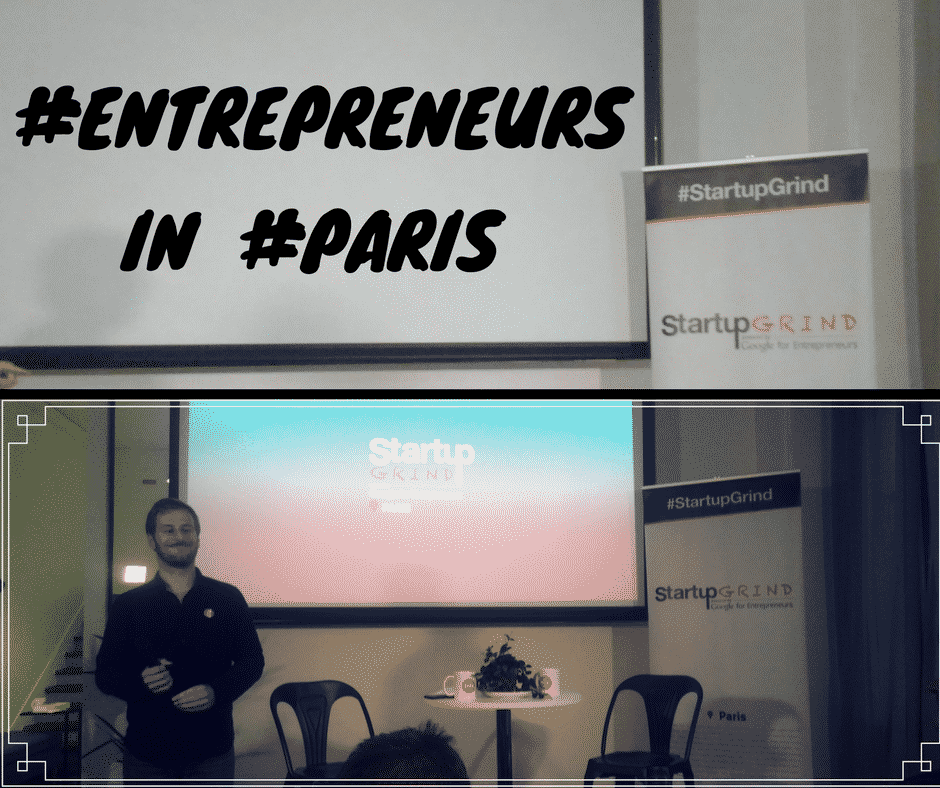
StartUp Grind Entrepreneurs Paris
Hello Tomorrow Summit Paris 2017
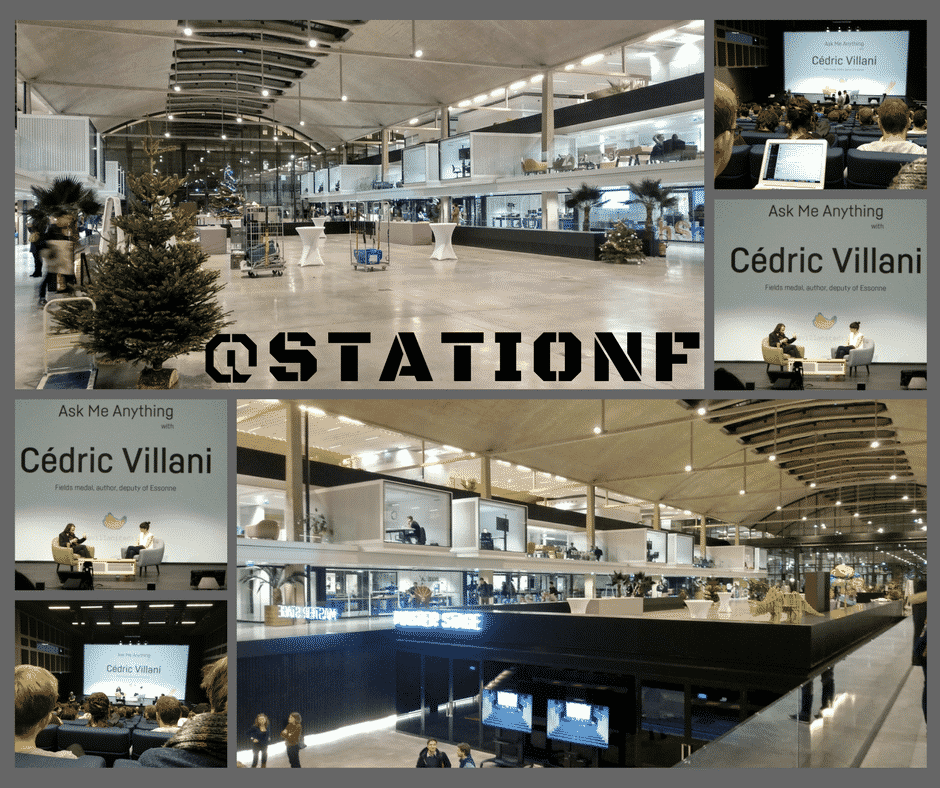
Cédric Villani at STATION F Paris

Paris Entrepreneurship Ecosystem

grindhop
HTSummit
STATIONF

When I started to understand I was really going to become a freelance,  I knew there was a long long way to go. I had much to learn and to discover.

I lived in Paris at that time, the Startup ecosystem was booming.

The Family, Schoolab, Ux-Republic, Station F, Hackerhouse Paris, Numa and many others organized workshops and meetups.

Meetups are very good opportunities to meet like-minded individuals, passionate people ; you can discover new trends, topics and learn.

It is great to keep informed too.

Attend global Conferences

Paris 2017 Hello Tomorrow conference badge - Renan Savidan

Learn, Connect, Contribute #WordCamp

WordCamp Europe 2017 took place in Paris and I couldn’t miss this event. WordCamps occur all around the world.

It it the place-to-be for all WordPress aficionados with :

  • The contributor day
  • Conferences
  • The sponsor workshops
  • The tribe meetups and speed networking

I would definitely recommend to every WordPress enthusiast to attend a WordCamp – it is a life-changing experience.

WordCamp Europe Paris 2017 - I am attending !

WordCamp Paris – In 2019 in Paris was held a national WordCamp because WordCamp Europe took place in Berlin that year.

It took place at the Sorbonne University and was therefore more Franco-French; however, the constants are the same. It is each time the opportunity to learn about the evolutions of our favorite CMS.

You can create opportunities for sharing and collaboration through networking.

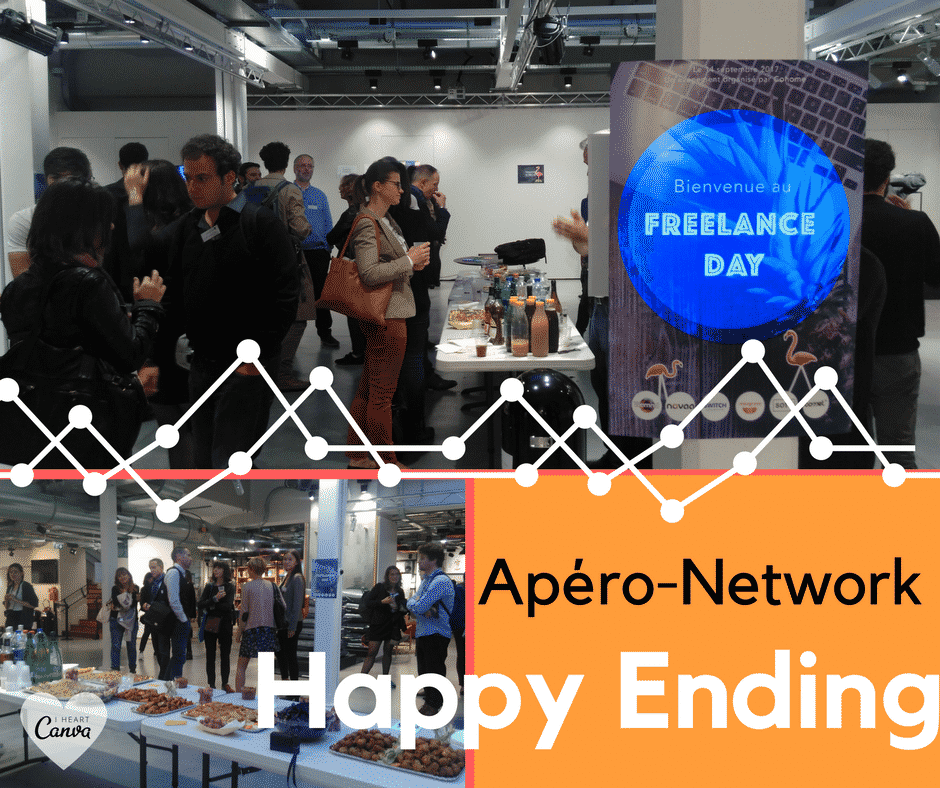
Freelance Day Paris 2017 Apero
Usine.io third birthday Tek party
,
1
ESS_24_2
facedooDev
numa_post_1
Rennes BS - Copie
SCIC-FB
skoolab-gawaad
trans-22 (2)
WebXR

- It is all about encounters in Life -

I was fortunate to meet people who helped me understand that I was going in the right direction.

Freelance Day Paris 2017 Apero
30-Day Connect Keenya Hofmaier

- And Partneships -

Read More

Google Summit & Google tools

Renan Savidan Google Cloud Summit Paris 2017

Many products designed and offered by Google are tools at the heart of my activities: partly as part of my job as a web developer and also with regard to entrepreneurship.

It is not lying to say I am definitively a Google fanboy and as such I couldn’t miss the Paris Google Cloud Platform (GCP) Summit.

Below you cans see a few pictures of the event.

IMG_-fam9d
IMG_20171019_143228
IMG_20171019_135254
IMG_20171019_132553
IMG_20171019_115104
IMG_20171019_114553
IMG_20171019_092127
IMG_20171019_092112
IMG_20171019_085546

Learning with Google

The company does a lot to make all these products and tools user friendly and easy to handle ; however, it is useful to train for better understanding.


Everywhere Google provides full day trainings for the Cloud Platform (Google Cloud Platform) and even delivers a certificate for all  attendees ; I was lucky enough to participate and got my own reward !

Savidan Google Cloud training attestation
Learn Google

More recently I discovered Qwiklabs.

A Qwiklabs laboratory is practical; it’s an online learning environment with a set of instructions to guide you through a live, scenario-based, live use case.

Read More